
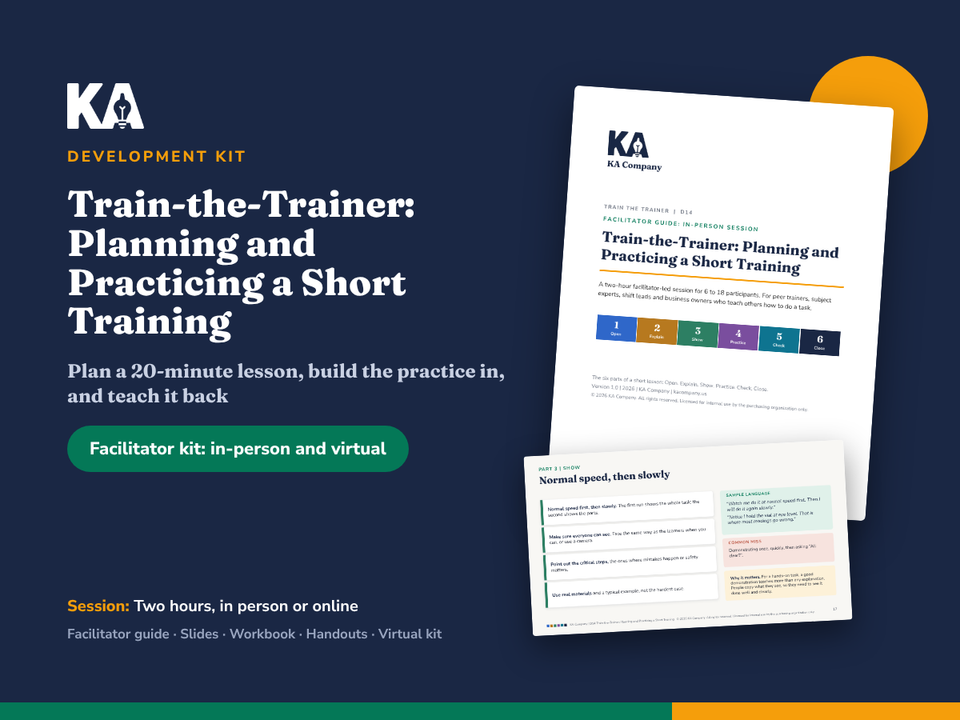
1 / 4
Train-the-Trainer
In-person and virtual facilitator kit: guides, slides, workbook and handouts, all editable. Instant download after purchase.
All sales are final. Due to the instant-access nature of digital downloads, refunds are not offered. Please review the preview before buying. Issue with your purchase? Contact support@kacompany.us. Refund Policy
Each purchase is licensed to one organization for use in one LMS, with unlimited learners. By buying, you agree to the License Agreement and Terms of Use.
Want it in your company's branding?
We can add your logo, colors, and terminology. Request a customization quote
About this kit
A complete two-hour session that turns the people who know the work into people who can teach it: plan a 20-minute lesson, build the practice in, and teach it back to peers.
Who it is for
Peer trainers and subject experts who were asked to train others because they are good at the work, and were never shown how to teach.
Shift leads and supervisors who show new people how to do tasks every week.
Small-business owners who train every new hire themselves and want each person to get the same, complete lesson.
Trainers, HR and L&D professionals who need a ready-to-run train-the-trainer session for the experts in their organization.
The problem it solves
Most workplace training is done by experts, and expertise makes teaching harder. The steps have become automatic, so experts skip them. They use the terms of their trade, explain every exception first, demonstrate once at full speed, and run out of time before anyone tries the task. The lesson ends with "Any questions?" and the first real check is a customer. This kit gives participants a simple way to plan a short lesson in six parts (open, explain, show, practice, check, close), starting from a learning goal someone could watch, and giving most of the time to practice. Each participant plans a real lesson on a task they teach and teaches part of it to two peers, with structured feedback.
What is inside
The six parts of a short lesson: Open, Explain, Show, Practice, Check, Close (2, 4, 3, 7, 2 and 2 minutes in a 20-minute lesson).
In-person kit
Facilitator guide, 49 pages (Word): how to use the kit, session overview and agenda, a plain-language primer on why experts find teaching hard, learning goals, deciding what goes in, the six parts in depth, building practice in, teaching one person on the job, feedback in the teach-back, answers to the questions participants ask, a preparation checklist, nine timed segments with SAY / DO / ASK / WAIT cues, the Scenario A script, answer keys, the lesson packets at a glance, tricky moments, a 30-day follow-up plan and ways to adapt the session.
Slide deck, 32 slides (PowerPoint), with speaker notes that repeat the guide's cues and timing.
Virtual kit
Virtual facilitator guide, 33 pages (Word), with a producer cue sheet, polls, chat prompts and advice on teaching a hands-on task online.
Producer run sheet, 4 pages (Word).
Virtual slide deck, 34 slides (PowerPoint), with PRODUCER actions in the notes.
Workbook and handouts
Participant workbook, 20 pages (Word and PDF), including a lesson plan, teach-back notes, a plan to teach the lesson for real and a 30-day teaching log.
One-page job aid: the six parts of a short lesson (1 page).
Handout 1: Learning goal builder, with a worked example and practice (2 pages).
Handout 2: Six lesson packets for participants without their own topic, set in a hair salon, a bike shop, a restaurant kitchen, a property management office, a warehouse and a moving company (3 pages).
Handout 3: Must know, good to know, nice to know, with notes to sort (2 pages).
Handout 4: 20-minute lesson planner, with a filled-in example (2 pages).
Handout 5: Practice and check menu, with practice instructions (2 pages).
Handout 6: Teach-back feedback sheet, with how to give feedback (2 pages).
Answer key for the facilitator (2 pages).
How to use it
Read the facilitator guide and plan a 20-minute lesson yourself in the workbook (about three hours).
Ask participants to bring one task they teach. Print the workbook and handouts.
Run the two-hour session in person or online. Every step tells you what to do, what to say, what to ask and when to wait. A 90-minute version is included.
Use the 30-day follow-up plan so each participant teaches their lesson for real and checks it on the job.
No training experience is needed. If you can run a team meeting, you can run this session.
Formats and file types
Word (.docx): facilitator guides, producer run sheet, participant workbook. Fully editable.
PowerPoint (.pptx): in-person and virtual decks with speaker notes. Fully editable.
PDF: participant workbook, job aid, handouts and answer key, ready to print.
Fonts: Fraunces and Nunito Sans (free from Google Fonts).
Licensed for internal use by the purchasing organization.
Frequently asked questions
Do participants need to bring their own topic?
It works best when they do, because they leave with a lesson they will really teach. Six lesson packets are included for anyone who does not have one.
Is this for one-to-one training or group lessons?
Both. The six parts are for a short group lesson, and the kit also shows how the same ideas work when teaching one person at the workplace.
How is this different from the SME-to-Trainer Starter Kit?
The starter kit is a self-guided toolkit for an expert preparing a session. This kit is a live session for a group of trainers, with a teach-back and peer feedback. They use the same six-part shape.
One price, yours to keep. Licensed for use within your organization.