
1 / 4
Skills Matrix and Cross-Training Planner
Editable templates with a how-to guide and worked examples. Instant download after purchase.
All sales are final. Due to the instant-access nature of digital downloads, refunds are not offered. Please review the preview before buying. Issue with your purchase? Contact support@kacompany.us. Refund Policy
Each purchase is licensed to one organization for use in one LMS, with unlimited learners. By buying, you agree to the License Agreement and Terms of Use.
Want it in your company's branding?
We can add your logo, colors, and terminology. Request a customization quote
About these templates
See who can do what, find the tasks only one person can cover, and plan cross-training that closes the gaps, with an Excel matrix that counts coverage for you.
Who it is for
Business owners who cannot take a day off because only they know how to do certain tasks.
Managers and shift leads who build schedules around who can open, close or handle cash.
Supervisors in the field who need every job, vehicle and piece of equipment covered.
HR and training professionals who want a clear, fair record of skills and training across teams.
The problem it solves
In most small teams, the knowledge of who can do what lives in one manager's head. When a key person is sick, on holiday or leaves, tasks go undone and nobody knew they depended on that person. New people learn whatever happens to come up, and training time goes to whoever asks loudest. This guide shows you how to list the work, rate each person fairly with them, see your coverage gaps at a glance, and run short, planned cross-training that moves real people from "learning" to "works alone."
What is inside
Skills Matrix and Cross-Training Planner (PDF, 23 pages)
Copyright and License, contents and how to use the guide (2 pages)
What a skills matrix shows you, and words used (1 page)
Six steps from task list to cross-training plan (1 page)
Step 1: List the tasks and skills, with right-sized examples (1 page)
Step 2: Set the rating scale, five levels with evidence (1 page)
Step 3: Rate each person, with them, including what to say (1 page)
Step 4: Set coverage targets and find the gaps (1 page)
Step 5: Choose who learns what (1 page)
Step 6: Run the cross-training with Teach a Task in Four Steps and update the matrix (1 page)
Talking with your team about the matrix (1 page)
Variations for retail, clinics, restaurants, trades, offices and warehouses, and for three team sizes (1 page)
Common mistakes and questions managers ask (1 page)
Your first 30 days and the quarterly coverage review (1 page)
Using the Excel workbook (1 page)
Templates with prompts: task list worksheet, skills matrix, cross-training plan, quarterly coverage review (4 pages)
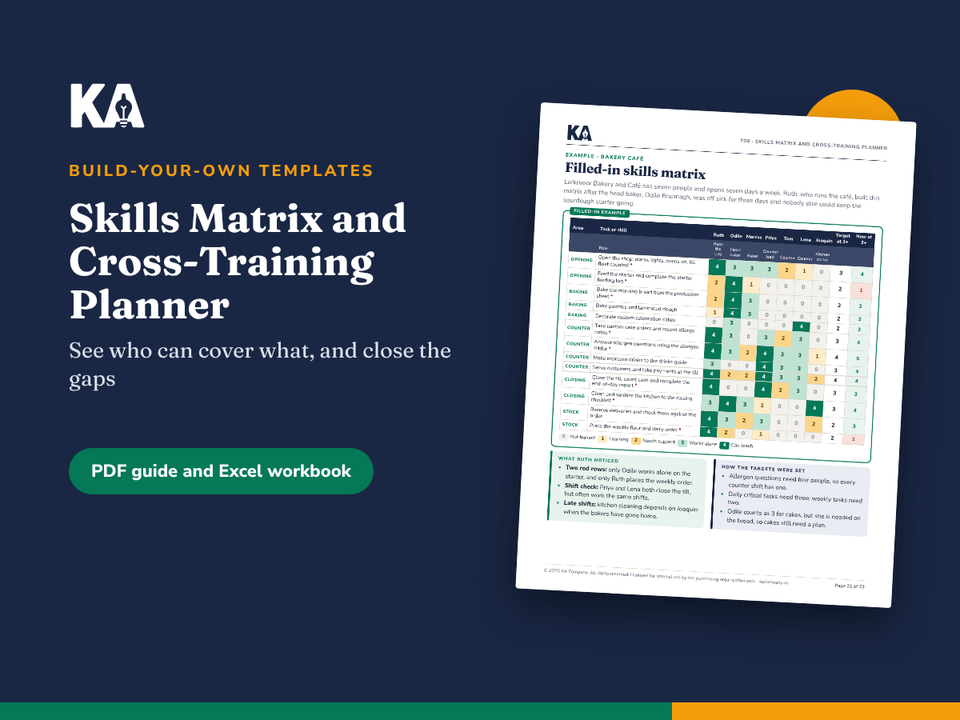
Filled-in example for a seven-person bakery café: matrix, task list and plan, coverage review (3 pages)
Excel workbook: how-to sheet, rating scale and drop-down lists, skills matrix for up to 60 tasks and 20 people with automatic coverage counts and gap flags, cross-training plan, coverage review log, and three filled-in example sheets.
How to use it
Read the six steps (pages 4 and 5).
Build your task list and agree the rating scale.
Rate each person with them, in a ten-minute conversation.
Set coverage targets and let the workbook flag the gaps.
Choose two or three cross-training pairs, schedule the sessions and update the matrix at sign-off.
Review coverage every quarter.
Formats and file types
PDF (US Letter, print or screen), 23 pages
Excel workbook (.xlsx) with drop-down lists, formulas and color coding
Licensed for use within your organization
Some tasks need licenses, certificates or safety training. Check the rules for your location and company policy; this product is not legal advice.
Frequently asked questions
Is a skills matrix the same as a performance review?
No. It records how well each person can do each task today, so you can plan coverage and training. The guide explains how to keep the two separate and what to tell your team.
Do I need Excel to use it?
No. The PDF includes printable versions of every template. The workbook saves time because it counts coverage and flags gaps automatically.
How long does it take to set up?
About two hours to build a first matrix for a team of up to fifteen people, plus a ten-minute conversation with each person.
One price, yours to keep. Licensed for use within your organization.