
1 / 4
Branching Scenario Writing Templates
Editable templates with a how-to guide and worked examples. Instant download after purchase.
All sales are final. Due to the instant-access nature of digital downloads, refunds are not offered. Please review the preview before buying. Issue with your purchase? Contact support@kacompany.us. Refund Policy
Each purchase is licensed to one organization for use in one LMS, with unlimited learners. By buying, you agree to the License Agreement and Terms of Use.
Want it in your company's branding?
We can add your logo, colors, and terminology. Request a customization quote
About these templates
Plan and write scenarios where learners make realistic decisions, see what happens and learn why, with a six-step process, four templates and two finished examples.
Who it is for
Small-business owners who want staff to practice handling difficult customer moments before they happen for real.
Managers and new shift leads who need to teach judgment, not only rules.
Supervisors who want a safe way to practice speaking up about safety shortcuts.
Instructional designers and trainers who want a reliable structure for e-learning and classroom scenarios.
The problem it solves
Most scenarios are either too easy (the right answer is the longest and most polite) or too large to finish (every choice opens a new branch). This kit shows you how to choose one realistic moment, map three decisions without losing control of the branches, write choices that are hard in the right way, and write consequences and feedback that teach. Two complete examples, a garden center return and a warehouse safety check, show every template filled in.
What is inside
Branching Scenario Writing Templates (PDF, 25 pages)
Copyright and License, contents and how to use it (2 pages)
What a branching scenario is, with plain-language terms (1 page)
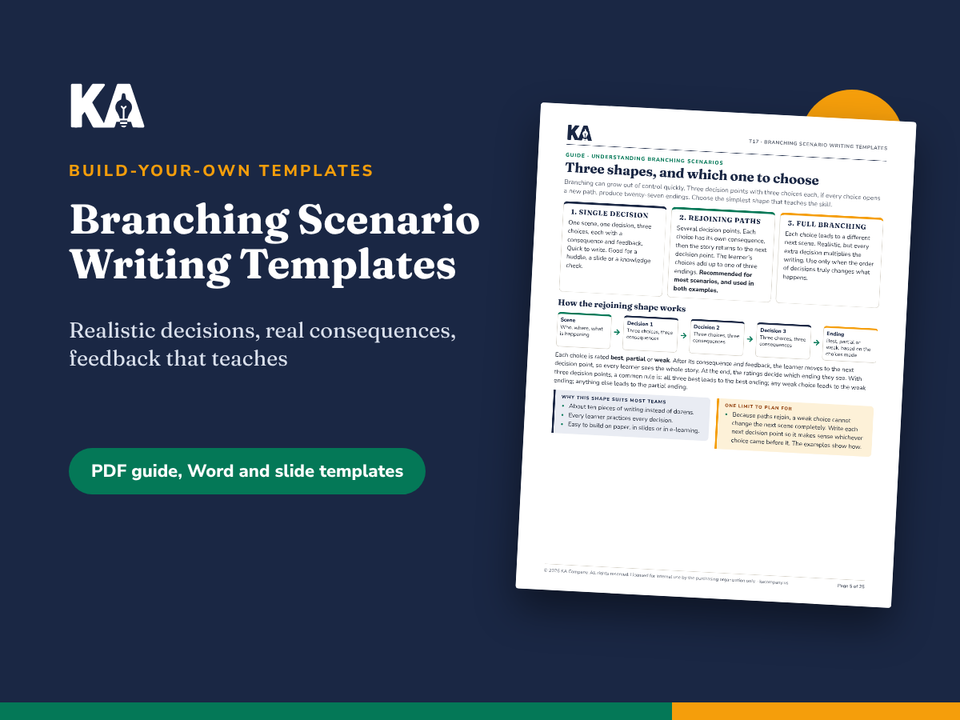
Three scenario shapes, and why the rejoining shape suits most teams (1 page)
The six-step process, with time estimates (1 page)
Steps 1 and 2: choosing the moment, setting the goal and gathering real material, plus the planning sheet (2 pages)
Step 3: mapping decisions and rating choices, plus the decision map (2 pages)
Step 4: writing the scene and the choices, with weak and strong choice sets (1 page)
Step 5: consequences, feedback and endings, plus the decision point sheet (2 pages)
Example 1, a garden center return: planning sheet, decision map, all decision points and notes (4 pages)
Example 2, a warehouse pre-use check: planning sheet, decision map, all decision points and notes (4 pages)
Step 6: testing, and delivering on paper, in slides or in e-learning (2 pages)
Common mistakes and scenario ideas for six kinds of workplace (1 page)
Final check, a two-week plan and writing for every channel (1 page)
Editable templates (Word, 14 pages): planning sheet, decision map, decision point sheet, endings sheet, test checklist and both examples in full.
Slide template (PowerPoint, 20 slides): a complete scenario structure with linked choice buttons and prompts on every slide.
Playable example (PowerPoint, 20 slides): the garden center scenario built in the slide template, ready to click through.
How to use it
Read the first three guide pages to choose the right shape (about 15 minutes).
Work through Steps 1 to 5 with the templates.
Compare your draft with the two examples.
Test it with three people, then deliver it on paper, in slides or in an e-learning tool.
Formats and file types
PDF (US Letter, print or screen), 25 pages
Word document (.docx), 14 pages
Two PowerPoint files (.pptx), 20 slides each; links work in most presentation software
Licensed for use within your organization
Frequently asked questions
Do I need e-learning software?
No. The scenarios work on paper with a group, or in the slide template. If you have an authoring tool, the decision map works as your build plan.
How long does it take to write one scenario?
A single-decision scenario takes about an hour and a half. A three-decision scenario usually takes four to eight hours across a week, including testing.
Can I use it for safety or compliance topics?
Yes. Example 2 is a safety scenario. Check the rules for your location and company policy for the content itself; the kit covers how to write the scenario, not the rules.
One price, yours to keep. Licensed for use within your organization.